

 Home
HomeHow CRM Integration Makes NPS Feedback Drive Retention
 Category:Articles
 July 27, 2026 / AT: 1:35 PM
 331 View
 No Comment
Key Takeaways
Connecting NPS survey responses directly to your CRM transforms isolated scores into actionable retention signals that your sales and account management teams can act on immediately.
- Store NPS responses at the individual contact level rather than the parent account level so that distinct sentiment within the same organisation is preserved and personalised follow up remains possible.
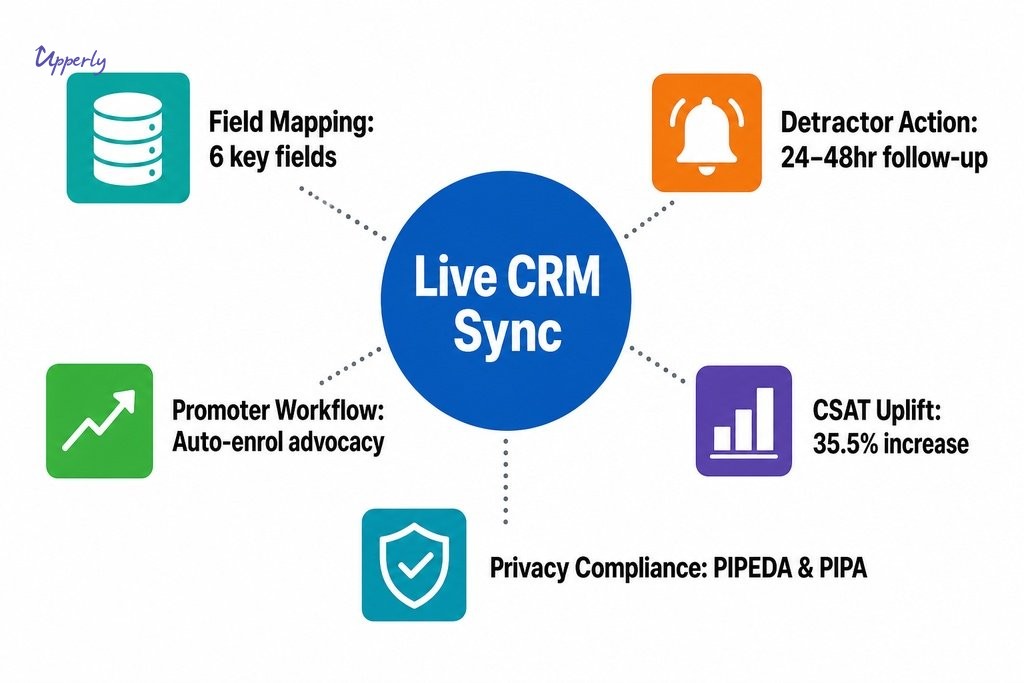
- Map the right CRM feedback fields from the start: raw score value, promoter or detractor category, survey timestamp, verbatim comment, and a link to the specific transaction that prompted the survey.
- Combining customer history with NPS scores gives teams the context to spot retention risk proactively; a detractor score appearing shortly after a service disruption means something very different from a standalone number in a dashboard.
- Automated CRM workflows triggered by score thresholds remove the risk of low scores being acknowledged but never acted on; promoter scores deserve equal attention for review requests and referral prompts.
- Canadian teams must verify PIPEDA and provincial privacy compliance, including British Columbia’s PIPA, before any survey data flows between platforms, and should confirm that field permissions restrict write access to the roles that genuinely need it.
For Customer Experience Managers in Vancouver and across Canada, gathering NPS scores is rarely the hard part. The harder part is making those scores mean something once the survey window closes. Without a direct connection to your CRM, responses pile up in a separate tool, detached from the customer’s full story. Connecting NPS feedback to your CRM changes that entirely, turning a standalone number into a live signal inside the customer record where your team actually works.
Whether you’re managing accounts across Metro Vancouver, supporting clients in Toronto and Calgary, or running a distributed team coast to coast, the challenge is consistent: when survey data sits in isolation, patterns disappear. A detractor score filed in one system and a missed renewal sitting in another tell you nothing together. When those two pieces live in the same record, alongside purchase history and recent support activity, the picture becomes actionable. That shift from passive data to connected intelligence is what this article is about.
Why NPS Scores Lose Their Value Without CRM Context
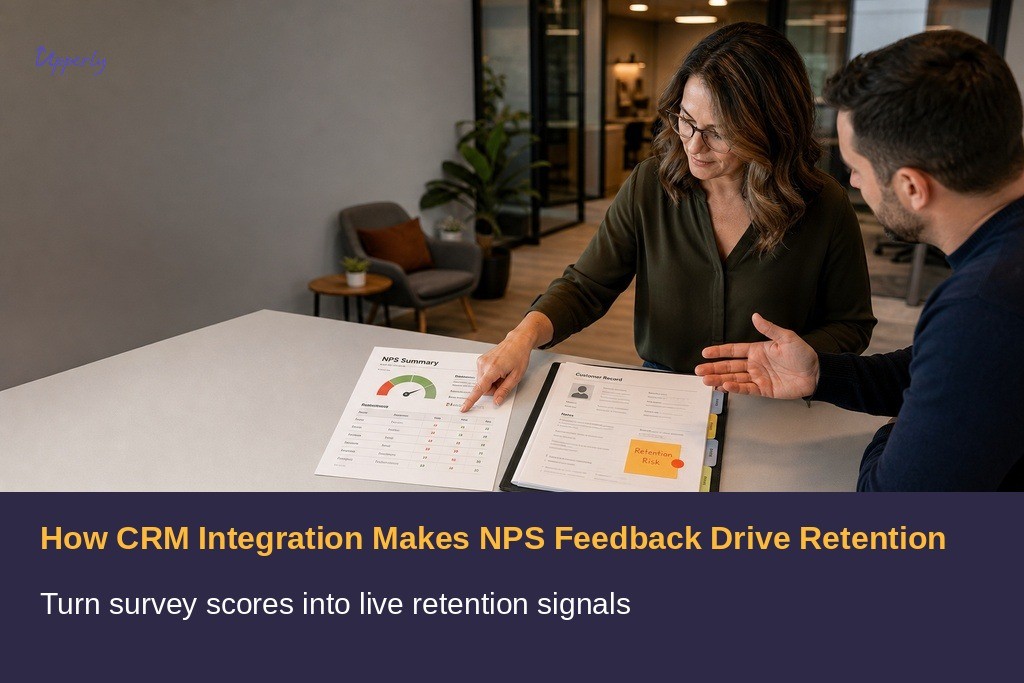
Most NPS programmes stall not because the surveys are poorly designed, but because the results never reach the people who can act on them. When survey data remains absent from the CRM, scores accumulate in dashboards that sales reps and account managers rarely visit. A promoter who gave a nine last Tuesday and a detractor who gave a three the week before look identical in the contact list because the CRM holds no record of either response. The metric exists, but it carries no momentum.
A score without context is just a number. A score attached to a customer record becomes part of a story. It tells you when the feedback came in, what transaction preceded it, and what the customer said in their own words. That transformation is what makes NPS genuinely useful for retention decisions rather than quarterly reporting.
What CRM Integration for NPS Feedback Actually Involves
True CRM integration for NPS feedback goes well beyond exporting a spreadsheet and uploading it manually. When a customer completes an NPS survey, the response automatically updates that individual’s live record in your CRM. The score value, verbatim comment, response date, and customer segment all write directly into dedicated CRM feedback fields tied to that specific contact, which is what separates a real integration from a file transfer.
Webhook-based data transfer is the most common technical method. When a survey is completed, the webhook fires instantly and pushes data into the CRM with no manual step in between. Most enterprise-grade survey platforms now offer native integrations or API connections with major CRMs including Salesforce and HubSpot. The goal is a system where survey data arrives in the CRM the moment feedback is given, not days later after someone remembers to export a file.
Mapping CRM Feedback Fields to the Right Data Points
Effective field mapping is where many integrations either succeed or quietly fail. The CRM feedback fields that matter most are the raw NPS score value, the promoter or detractor category derived automatically from that score, the survey timestamp so you can correlate the score with what happened immediately before it, and a transaction or interaction link that distinguishes a one-time issue from a pattern.
A common mistake is routing all feedback to the account or company level rather than to the individual contact record. This matters especially for B2B teams managing multiple contacts within a single client organisation. In Vancouver’s tightly networked business community, a contact who gave a two and a contact who gave a nine inside the same organisation will have very different needs, and your CRM needs to reflect that distinction clearly.
| CRM Feedback Field | What It Captures | Why It Matters |
|---|---|---|
| Raw NPS score value | Numeric score (0–10) from the survey response | Enables threshold-based workflow triggers and trend tracking |
| Promoter / detractor category | Segment derived automatically from the score | Drives segmentation for retention or advocacy workflows |
| Survey timestamp | Date and time the response was submitted | Correlates score with recent transactions or service events |
| Verbatim comment | Customer’s own words from the open-text field | Provides qualitative context that the score alone cannot convey |
| Transaction or interaction link | Reference to the specific event that prompted the survey | Distinguishes a one-time issue from a recurring pattern |
| Contact-level record (not account-level) | Individual stakeholder tied to the response | Preserves distinct sentiment within multi-contact B2B accounts |
Using Customer History With NPS Scores to Spot Retention Risk
One of the clearest advantages of integrated NPS data is the ability to read a customer’s satisfaction in the context of everything else that has happened in the relationship. When a detractor score appears in the CRM two days after a documented service delay, the connection is immediate. A team relying on aggregate NPS reporting sees a score drop in a chart. A team with proper integration sees that a specific customer, with a three-year purchase history and an upcoming renewal, just expressed serious dissatisfaction immediately after a service disruption.
Combining customer history with NPS scores enables proactive retention work rather than reactive damage control. According to Metrigy, organisations that adopted structured Voice of Customer programmes achieved a 35.5% increase in CSAT scores, a result that reflects what happens when feedback is embedded into operational systems rather than kept in a silo. For Canadian businesses managing long-term client relationships, identifying at-risk customers before they churn requires exactly this kind of connected visibility.

How Sales Team Feedback Visibility Changes Follow-Up
When NPS scores appear directly on deal or contact records, a sales rep preparing for a renewal call can see at a glance that the customer gave a six three weeks ago and mentioned frustration with response times. That context changes the tone of the conversation before the first word is spoken. Without it, the rep walks in blind and risks compounding the dissatisfaction with a pitch-first approach.
The same principle applies to account managers handling quarterly reviews. Knowing that a high-value client has trended from eight to five over three consecutive surveys is a retention alert, not just a data point. Surfacing that trend inside the CRM, where account managers are already working, means the alert reaches them naturally rather than requiring a separate login to a feedback dashboard. This is where understanding how nps integrates with customer workflows translates into tangible business outcomes rather than theoretical benefits.
How NPS Scores Can Trigger CRM Workflows
Once NPS scores live inside the CRM as structured data, they can trigger automated workflows. A detractor score below a set threshold can automatically flag the contact record for manager review, create a follow-up task for the account team, and apply a retention tag that segments the customer for priority outreach. These automations remove the risk of a low score being acknowledged but never acted on, which is one of the most common failure points in NPS programmes that lack proper CRM integration.
Promoter workflows are equally valuable and often overlooked. A customer who scores nine or ten can be automatically enrolled in a review request sequence, routed toward a referral prompt, or flagged for a loyalty programme touchpoint. This is a use case directly supported by Upperly’s automated feedback collection tools, which create a consistent, repeatable data stream that feeds cleanly into these CRM-driven sequences. The Royal Mint saw what this kind of integration can produce at scale: after connecting their CRM and service platform, they increased their NPS from 61 to 71 — a gain of 10 points — while also lifting first-contact resolution to an 86% average according to HubSpot.
| Score Category | Score Range | Automated CRM Action | Human Step Required |
|---|---|---|---|
| Detractor | 0–6 | Flag record for manager review; create follow-up task; apply retention tag | Human reviews full customer history before any outreach is sent |
| Passive | 7–8 | Log response; monitor for trend decline across consecutive surveys | Account manager reviews if score trends downward over time |
| Promoter | 9–10 | Enrol in review request sequence; trigger referral prompt; flag for loyalty touchpoint | Optional human personalisation before referral or review ask |
Setting Realistic Automation Boundaries
Automation handles volume and speed, but not nuance. When a detractor submits a verbatim comment describing a serious service failure, an automated task is a starting point, not a resolution. The workflow should route the record to a human, not replace the human response.
Timing matters too. Triggering a follow-up email within minutes of a negative score can feel clinical rather than caring. Define windows that give a human responder the chance to review the record before any automated touchpoint reaches the customer, and document that boundary explicitly in your workflow logic so it does not erode as automations are added over time.

What Canadian Teams Should Verify Before Building a CRM Feedback Integration
Canadian privacy compliance is the first checkpoint. PIPEDA and provincial equivalents, including British Columbia’s PIPA, require that survey data is collected with consent and stored appropriately. Confirm that both your survey platform and CRM vendor meet applicable Canadian data protection requirements before any data flows between systems.
Beyond compliance, verify that field permission settings restrict write access to CRM feedback fields to the roles that genuinely need it, and confirm that feedback links to the correct individual contact record rather than the parent account. Survey timing also deserves attention: sending an NPS survey immediately after a billing event rather than a service interaction produces scores that reflect the wrong moment in the relationship. A related consideration that many teams plan to address separately is helpdesk integration for nps follow up, which connects survey responses to open support tickets and deserves its own dedicated setup process.
How Upperly Supports Consistent NPS Data Collection for CRM Use
A CRM integration is only as reliable as the data feeding into it. Inconsistent survey delivery, low response rates, or manually triggered campaigns create gaps in the feedback record that undermine the patterns your team is trying to read. Upperly’s NPS survey tools and automated email delivery address this at the source by creating a repeatable, reliable data stream, giving your team a consistent signal rather than intermittent bursts of survey activity.
For Customer Experience Managers in Vancouver and across Canada who want this working without building it from scratch, Upperly’s done-for-you setup option handles the configuration and removes the barrier of technical complexity. The pay-as-you-go model means teams can start at a scale that fits their current volume without committing to a subscription before the value is proven. If you are ready to connect your NPS feedback to the CRM workflows that drive retention, reach out to learn how the platform fits your team’s current setup and what a clean, connected feedback programme could look like for your business.
Frequently Asked Questions
What is CRM integration for NPS feedback?
It is the automatic transfer of survey responses, including score, comment, and timestamp, directly into a customer’s live CRM record. This eliminates manual exports and ensures feedback is visible to sales reps and account managers in the system they already use daily.
Why should NPS data be stored at the contact level rather than the account level?
Contact-level storage preserves individual sentiment, which matters in B2B organisations where different stakeholders within the same company can hold very different views. Routing all feedback to the parent account averages out those differences and makes personalised follow-up much harder.
How quickly should a team follow up after a detractor score?
Aim for within 24 to 48 hours, but avoid fully automated touchpoints within minutes of a negative score. A short delay gives a human responder time to review the customer’s full history before reaching out, which leads to a more thoughtful and effective conversation.
Does connecting NPS feedback to a CRM raise privacy concerns under Canadian law?
Yes. PIPEDA and British Columbia’s PIPA both apply. Survey data must be collected with appropriate consent, and both your survey platform and CRM vendor should meet Canadian data residency and protection requirements before any integration is configured.
Can promoter scores also trigger useful CRM workflows?
Yes. Scores of nine or ten can automatically enrol a customer in a review request sequence, trigger a referral prompt, or flag them for a loyalty programme touchpoint. These workflows are often overlooked but can meaningfully support advocacy and organic growth alongside retention efforts.
What is the most reliable technical method for connecting an NPS platform to a CRM?
Webhook-based data transfer is the most common and reliable approach. When a survey is completed, the webhook fires instantly and pushes the response into the CRM with no manual step required. Most enterprise-grade survey platforms support this natively for major CRMs including Salesforce and HubSpot.
Social Share



Review Analytics Features That Move the Needle
Key Takeaways Upperly helps marketing and growth teams identify the review analytics features that matter most for improving retention, trust signals, and conversion outcomes. Focus…


Online review management
One of the best services provided by Google is Google review. This service will enable people to express their opinions on almost anything. If you…

How to write a good review for a business
If your business has a good review of customers trust easily. Because of this, we can understand how good feedback affects customers. For example, if…

How to get 5 stars?
Research shows that a brand that has been able to receive stars will be more noticeable than competitors. That's why it's important to get stars…